In the previous post, I introduced the MikroTik hAP be lite, a home router and wireless access point. Today, let’s talk about one of its many features: Safe Mode.
While configuring the MikroTik, you may change some setting that makes it inaccessible. This usually happens by accident, but once you lose access, there’s no way to undo the last change. For example, you’re editing the firewall settings and add a new rule that ends up blocking your own access to the router.
The MikroTik has a feature called Safe Mode that can be used to prevent situations like this. With Safe Mode enabled, if the router notices that the connection to your computer was lost, it automatically reverts all changes made since Safe Mode was enabled.
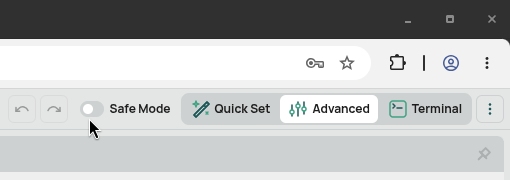
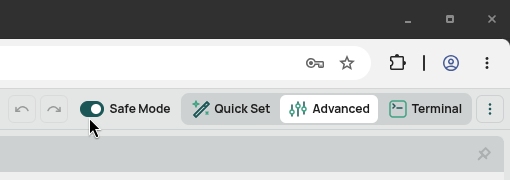
Safe Mode can be turned on and off with the Safe Mode switch in the top toolbar of WinBox:
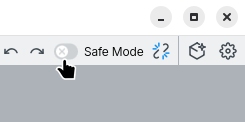
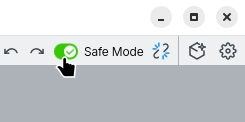
Before making any change that you suspect might make you lose access, enable Safe Mode by clicking the Safe Mode switch.
After making the changes you need, if everything is working, remember to disable Safe Mode. To do that, click the Safe Mode switch again.
Safe Mode is not exclusive to WinBox. The web interface (called WebFig) also has a Safe Mode switch:
Note that Safe Mode keeps a limited history of changes (100 actions). If you exceed that limit, Safe Mode is turned off automatically and all changes are applied permanently. So, use it for a few changes at a time, and turn it off and on again between batches of changes that are already tested.
Testing Safe Mode
To see how Safe Mode works in practice, let’s enable it and add a firewall rule on the MikroTik that blocks our own access, which should make the router revert the change.
Check your IP address. On Linux, you can do that with the ip command:
$ ip -c a
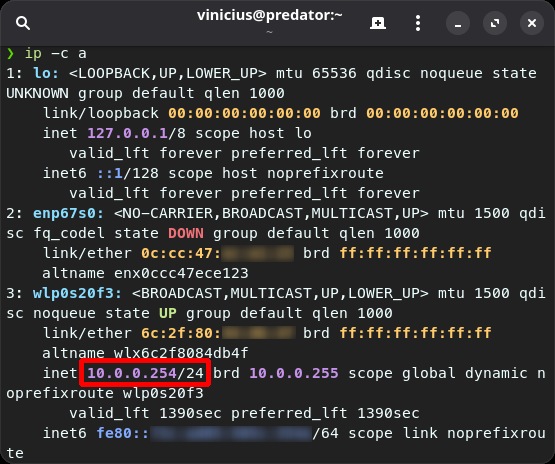
In my case, the MikroTik assigned my computer the address 10.0.0.254 via DHCP.
Open a terminal window and leave a ping running to the MikroTik:
$ ping 10.0.0.1
PING 10.0.0.1 (10.0.0.1) 56(84) bytes of data.
64 bytes from 10.0.0.1: icmp_seq=1 ttl=64 time=3.47 ms
64 bytes from 10.0.0.1: icmp_seq=2 ttl=64 time=3.52 ms
64 bytes from 10.0.0.1: icmp_seq=3 ttl=64 time=3.44 ms
64 bytes from 10.0.0.1: icmp_seq=4 ttl=64 time=0.843 ms
Open WinBox and enable Safe Mode as explained above.
Note: for this test to succeed, make sure you connected to your MikroTik router by IP, not MAC (don’t double click it in Neighbors).
Now it’s safe to change the MikroTik settings.
Go to IP > Firewall:
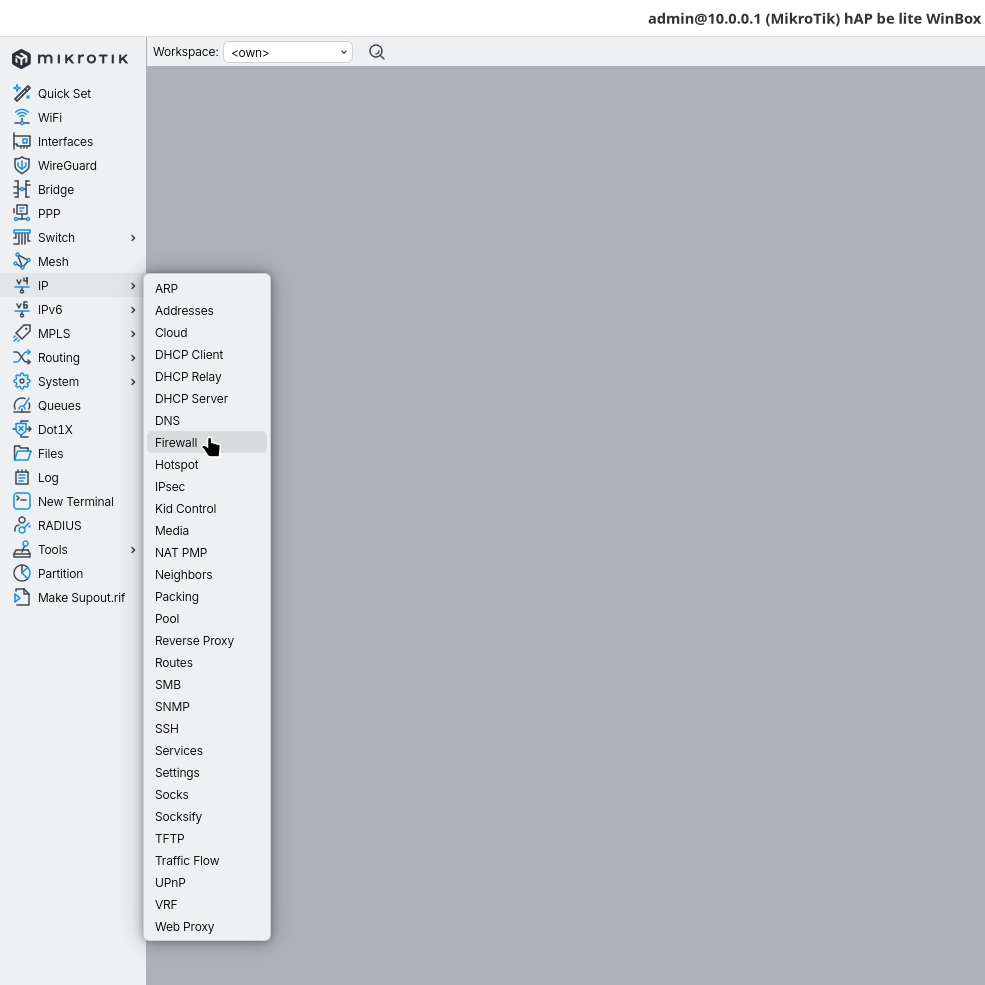
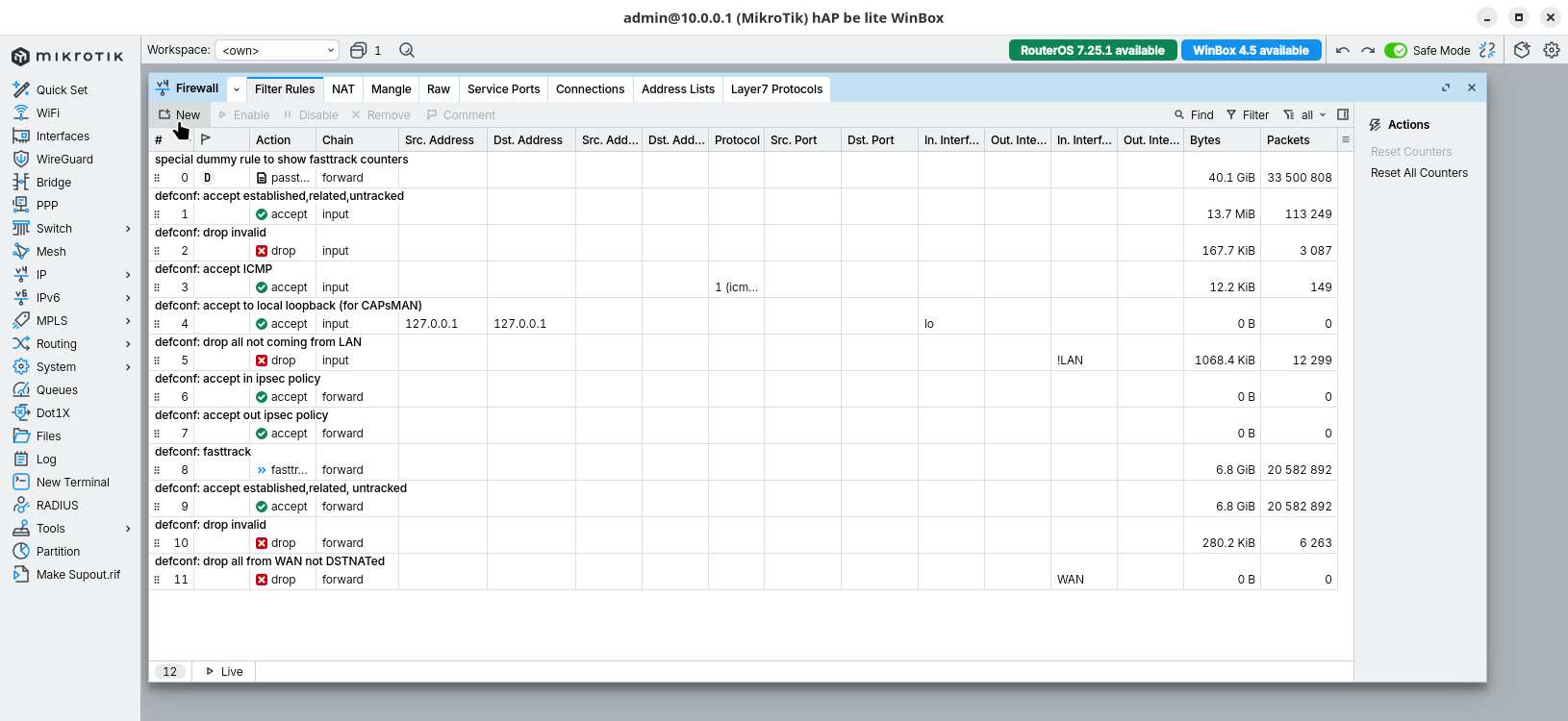
In the Firewall window that opens, on the Filter Rules tab, click the New button:
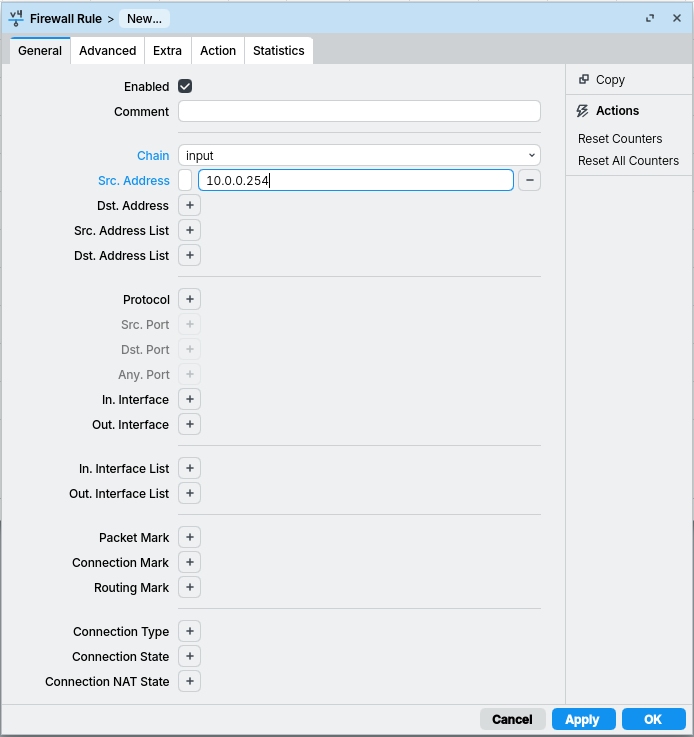
In the new window, on the General tab, set Chain to input and, in Src. Address, enter your computer’s IP address (in my case, 10.0.0.254):
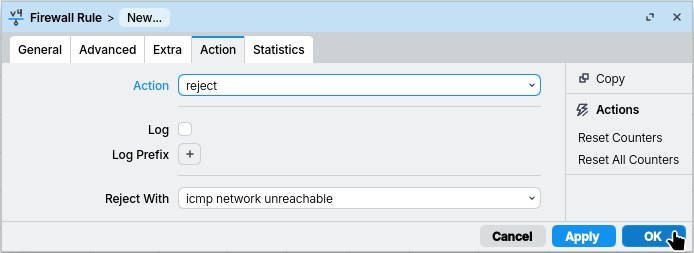
Switch to the Action tab. In the Action field, choose reject and click OK:
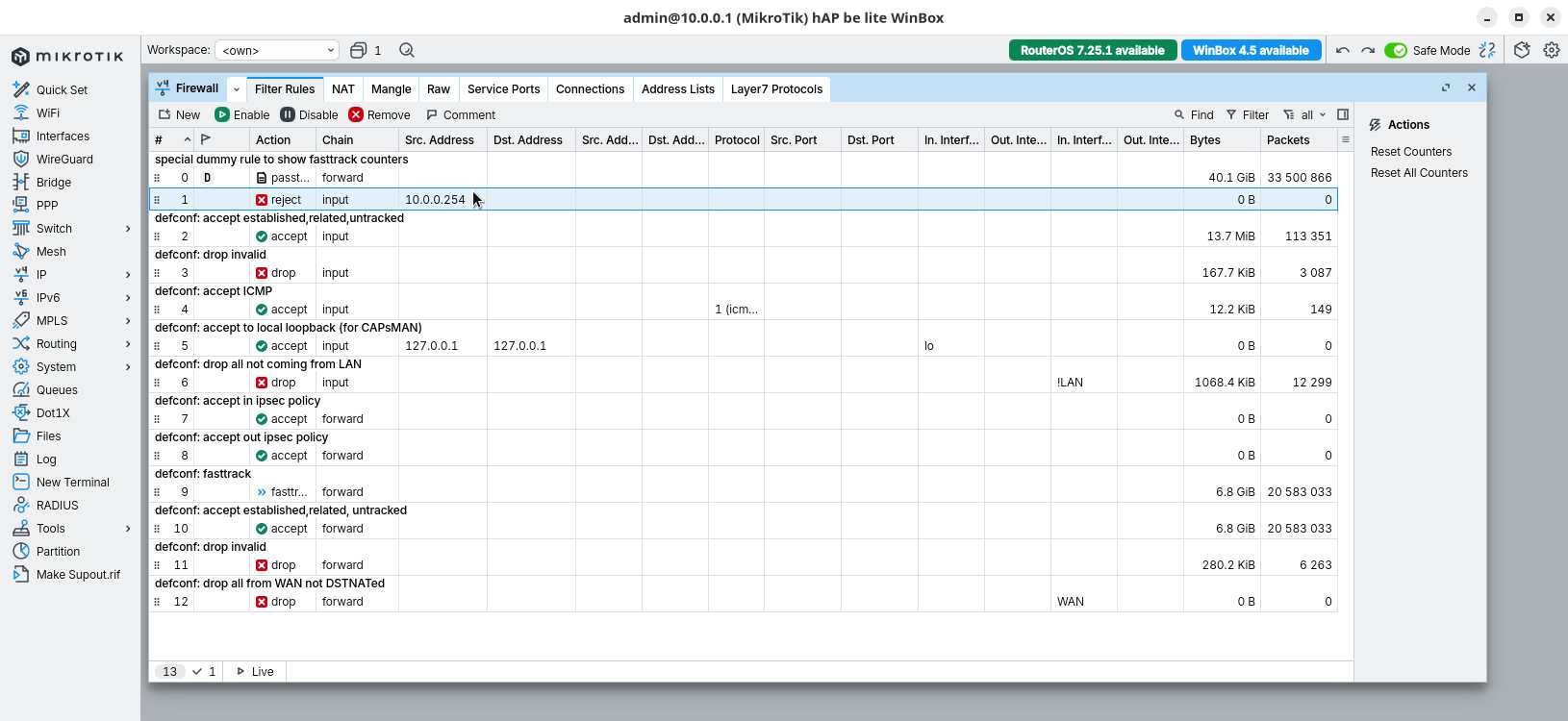
The rule is added to the end of the list. Drag it to the top of the list:
Once that’s done, the MikroTik firewall starts blocking communication with your computer, making the router unreachable.
In the ping output, you can see the loss of access:
64 bytes from 10.0.0.1: icmp_seq=37 ttl=64 time=3.39 ms
64 bytes from 10.0.0.1: icmp_seq=38 ttl=64 time=3.29 ms
From 10.0.0.1 icmp_seq=39 Destination Net Unreachable
From 10.0.0.1 icmp_seq=40 Destination Net Unreachable
From 10.0.0.1 icmp_seq=41 Destination Net Unreachable
From 10.0.0.1 icmp_seq=42 Destination Net Unreachable
WinBox will also lose the connection:
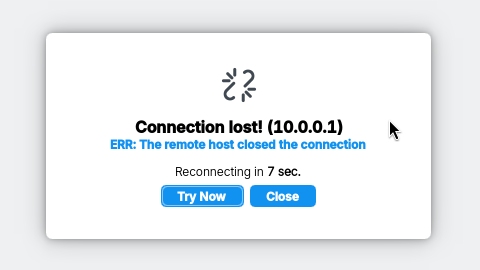
But in this case, since Safe Mode was enabled, just wait a few seconds while the MikroTik reverts the change, and soon you’ll be able to access it again. Watching the ping command, you can tell when the MikroTik is back:
From 10.0.0.1 icmp_seq=67 Destination Net Unreachable
From 10.0.0.1 icmp_seq=68 Destination Net Unreachable
64 bytes from 10.0.0.1: icmp_seq=69 ttl=64 time=0.884 ms
64 bytes from 10.0.0.1: icmp_seq=70 ttl=64 time=3.56 ms
64 bytes from 10.0.0.1: icmp_seq=71 ttl=64 time=3.53 ms
64 bytes from 10.0.0.1: icmp_seq=72 ttl=64 time=2.97 ms
WinBox automatically returns to the Firewall window, in which you can see that the rule you just added is gone.
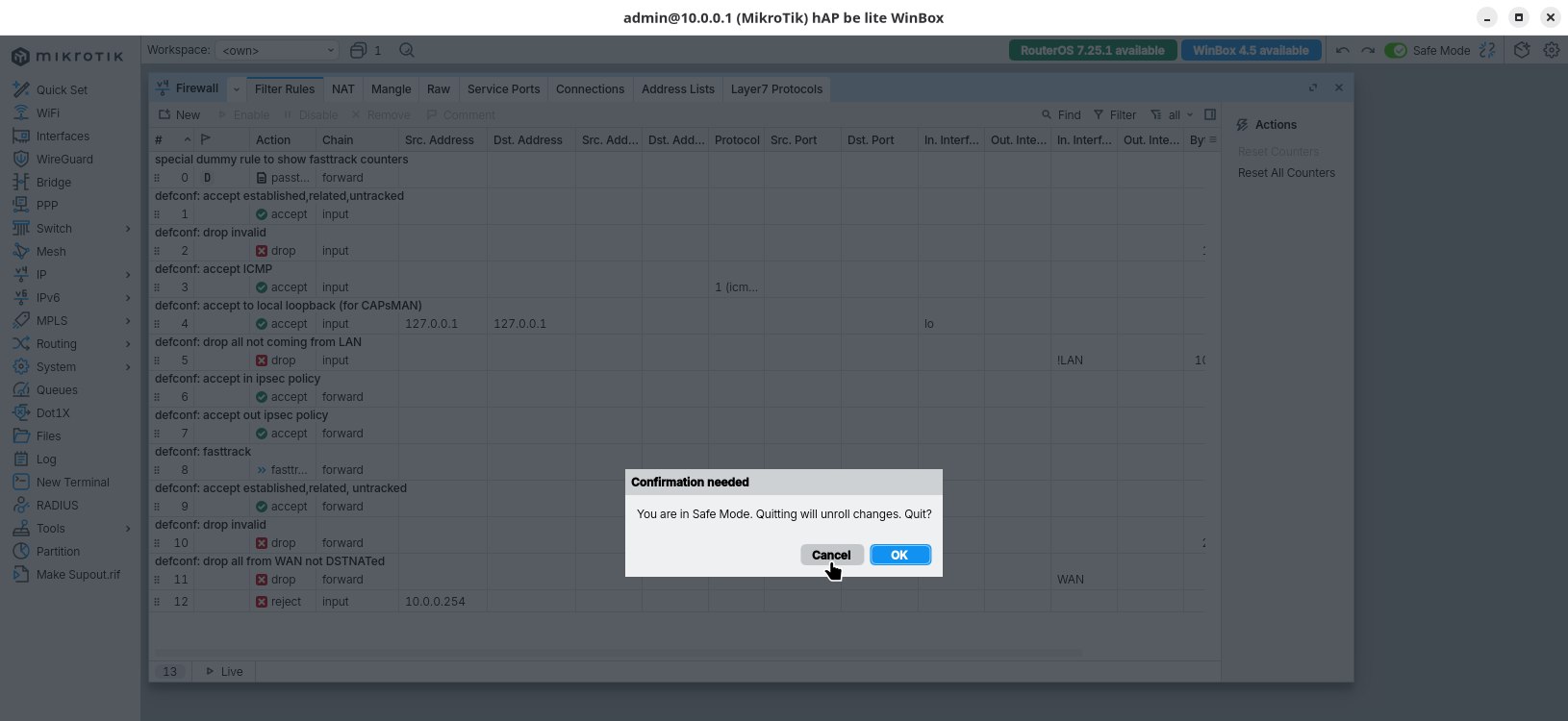
Be careful not to close WinBox while Safe Mode is enabled. In that case, if you proceed, changes will be reverted: