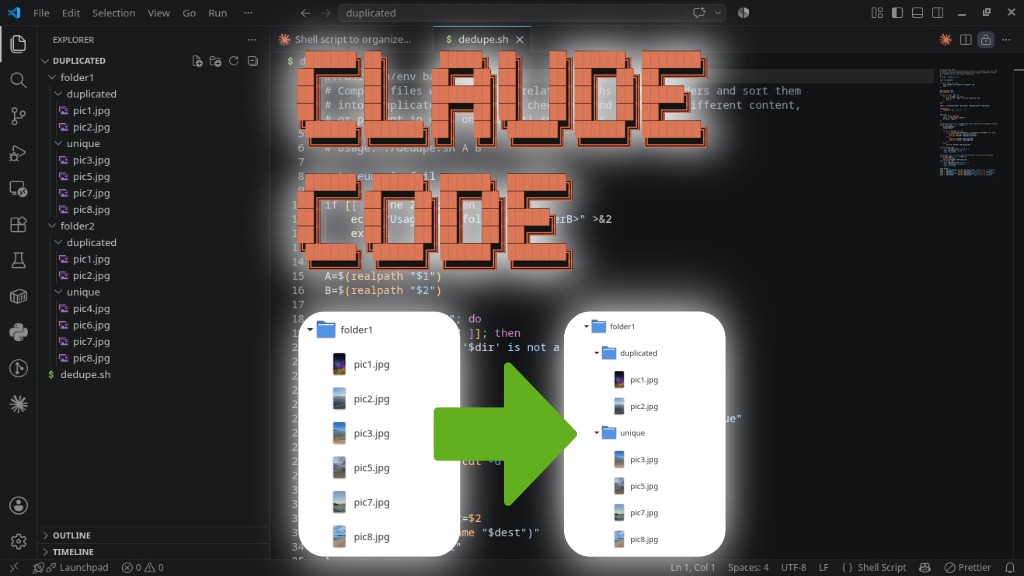
I’ve been experimenting with artificial intelligence and recently started tinkering with Claude Code. For those just starting out, like me, I recommend the Claude How To guide, a GitHub repo with several examples of how to get the most out of Claude Code.
Claude Code is an agentic coding tool by Anthropic that runs directly in the terminal, but is also available as extensions for various IDEs (including an extension for VS Code), as well as a desktop and web app (accessible from the browser). Claude Code reads and understands the entire codebase to perform tasks autonomously, such as implementing new features, fixing bugs, refactoring, explaining complex code snippets, editing files, running commands, and even handling Git workflows. All of this can be requested by the user with natural language commands. This way, Claude Code works as a development assistant that acts directly on the project instead of just suggesting code.
I should note that, unlike GitHub Copilot, which has a free plan, Claude Code has neither a free plan nor a “30-day free trial”. To try Claude Code at all, you need to subscribe to a plan. The cheapest one, the Pro plan, can be purchased for 20 dollars a month. Fortunately, for many people, that amount should fit the budget. Later, if you decide to keep using Claude Code, you can switch to the discounted annual payment.
That said, I want to share a use I made of Claude Code to create a simple script for myself to solve an everyday problem.
The problem to be solved: I have two folders with duplicate files, but also with files that only exist in one or the other. I want to separate the files that are duplicated from those that only exist in one folder or the other to make it easier to organize these folders afterward.
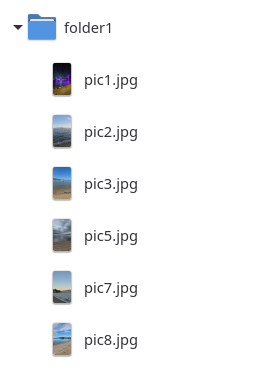
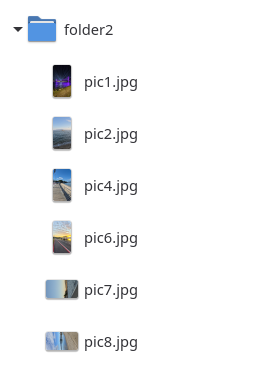
To illustrate the situation, I created two folders and put some pictures in them, as shown in the images below.
Notice that:
pic1.jpgandpic2.jpgare the same files (duplicates) infolder1andfolder2;pic3.jpgandpic5.jpgonly exist infolder1;pic4.jpgandpic6.jpgonly exist infolder2; andpic7.jpgandpic8.jpgexist in both folders, but are vertical infolder1and horizontal infolder2, so they are different files.
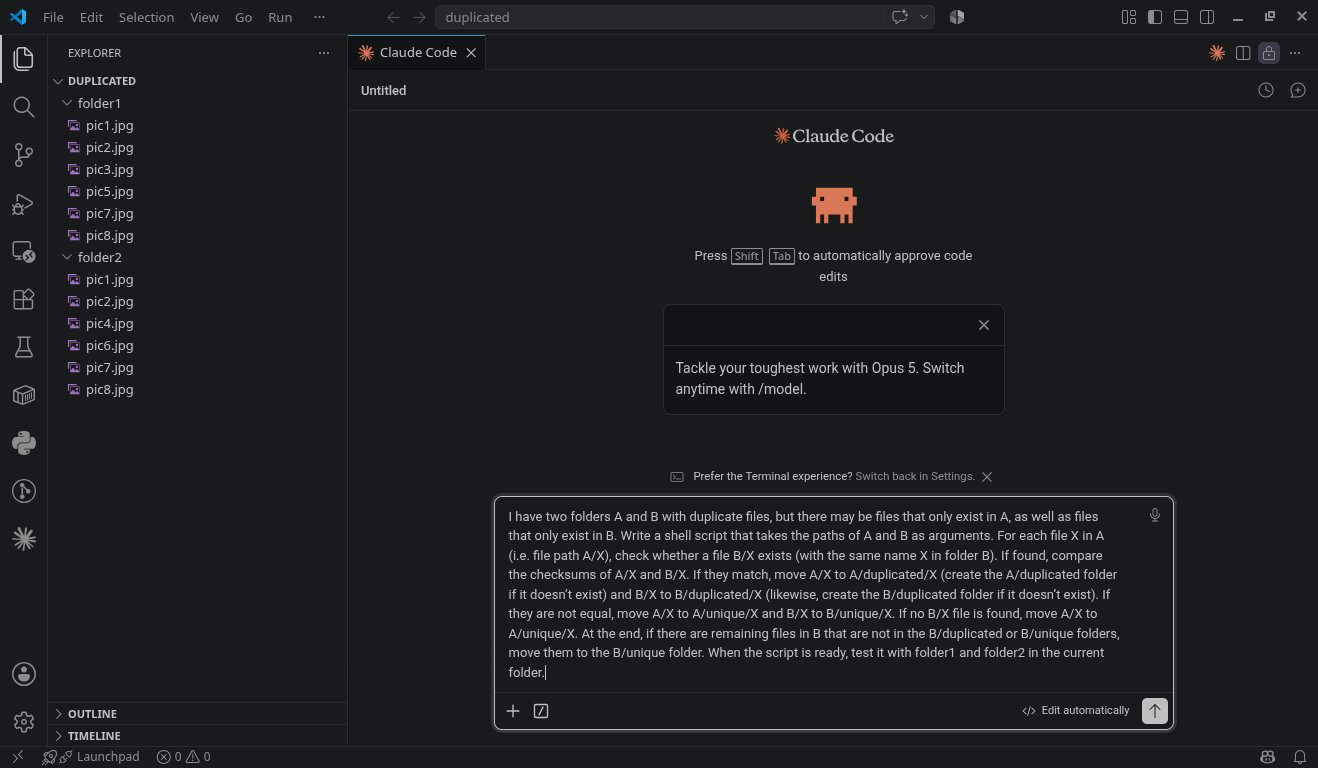
After creating an account on Claude, subscribing to the plan, installing the extension in VS Code, and signing in to the extension with my account, I described to Claude Code the script I wanted:
I have two folders
AandBwith duplicate files, but there may be files that only exist inA, as well as files that only exist inB. Write a shell script that takes the paths ofAandBas arguments. For each fileXinA(i.e. file pathA/X), check whether a fileB/Xexists (with the same nameXin folderB). If found, compare the checksums ofA/XandB/X. If they match, moveA/XtoA/duplicated/X(create theA/duplicatedfolder if it doesn’t exist) andB/XtoB/duplicated/X(likewise, create theB/duplicatedfolder if it doesn’t exist). If they are not equal, moveA/XtoA/unique/XandB/XtoB/unique/X. If noB/Xfile is found, moveA/XtoA/unique/X. At the end, if there are remaining files inBthat are not in theB/duplicatedorB/uniquefolders, move them to theB/uniquefolder. When the script is ready, test it withfolder1andfolder2in the current folder.
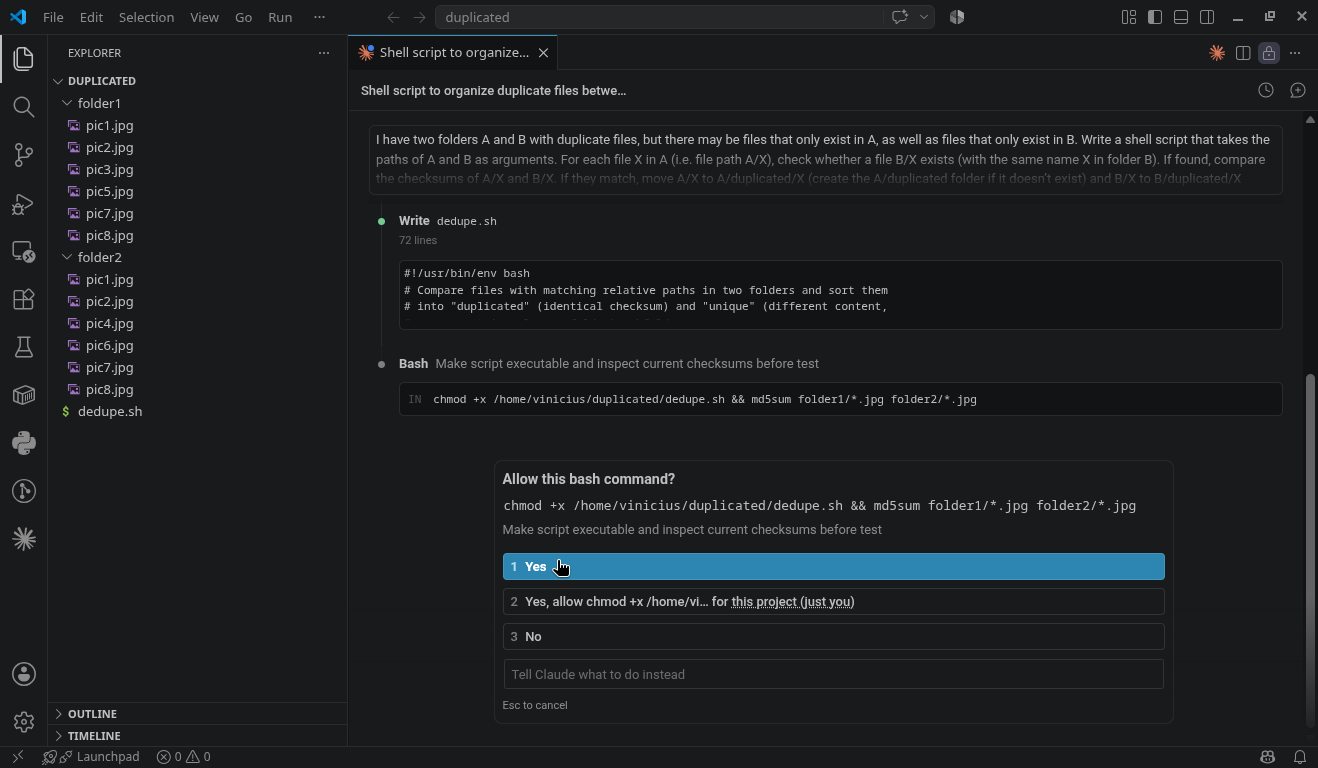
After “thinking” for a while and writing the script, Claude Code asked me for permission to run some commands on my computer, in order to make the script executable and run it:
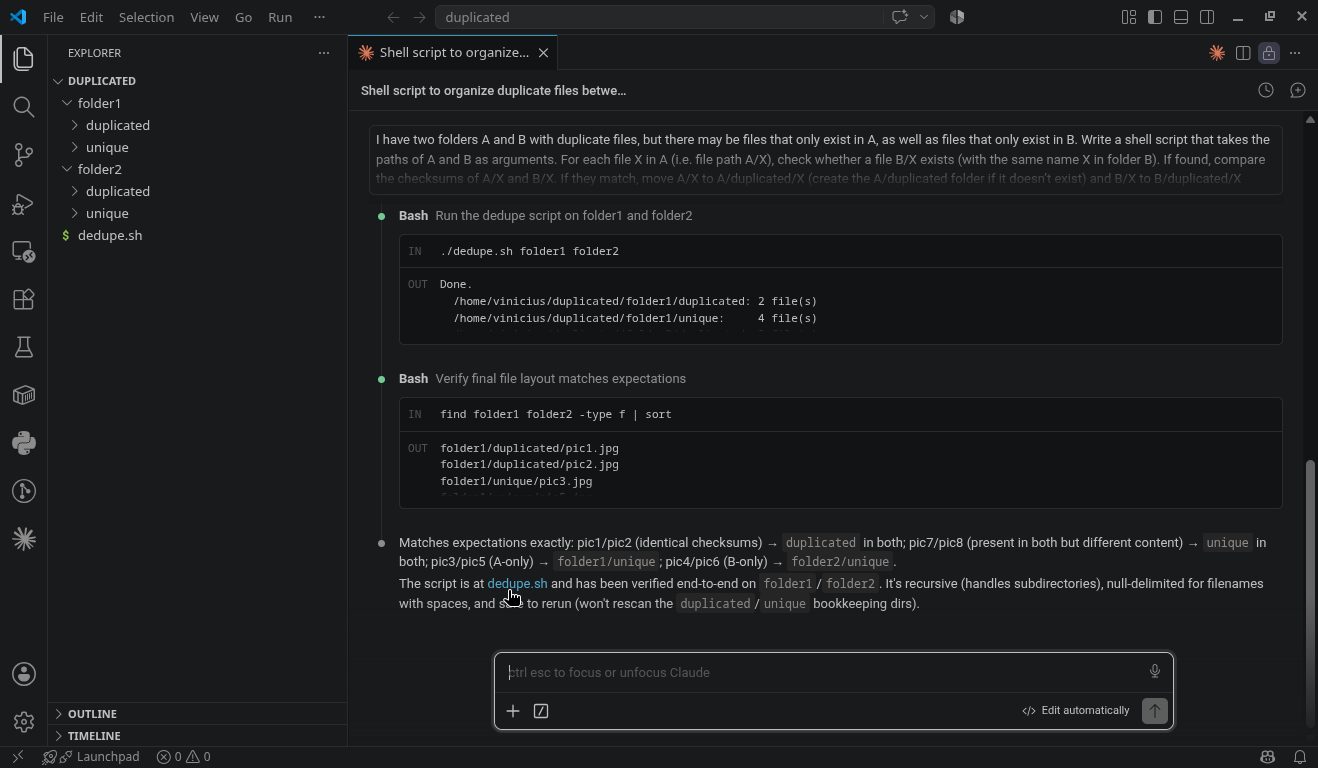
In the end, it reported that testing the script was successful:
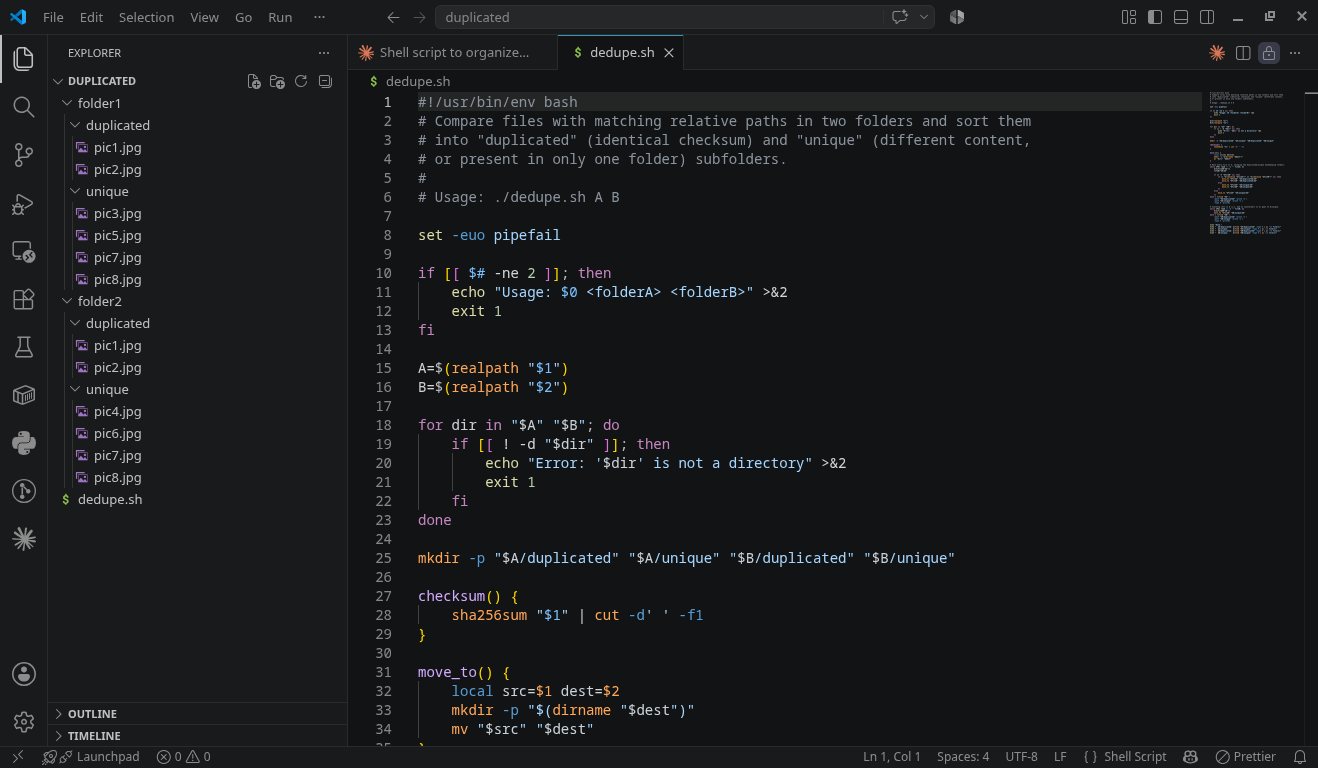
Here’s the script Claude Code generated (I’ll share it in full at the end):
After running the script, the folders ended up like this:
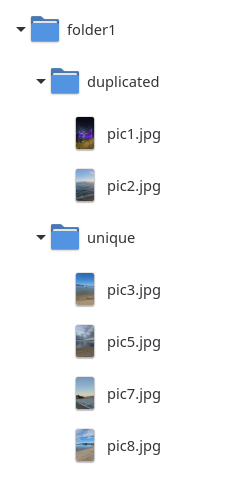
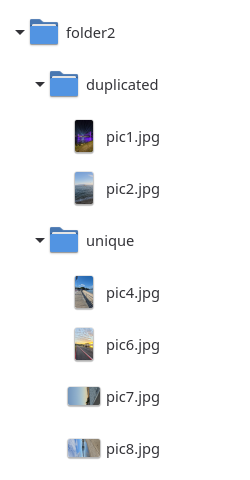
Notice that:
pic1.jpgandpic2.jpgwere moved to a folder calledduplicatedcreated in bothfolder1andfolder2;pic3.jpgandpic5.jpgwere moved to auniquefolder created infolder1;pic4.jpgandpic6.jpgwere moved to auniquefolder created infolder2; andpic7.jpgandpic8.jpgwere moved to theuniquefolder in bothfolder1andfolder2;
In other words, the script indeed worked exactly as I wanted it to.
Once it passed the test with these small folders with a handful of selected files, I used it for what I actually wanted. Afterward, I deleted one of the folders with duplicate files and merged all the files into a single folder, which ended up with approximately 2,800 files (photos and videos) totaling approximately 23 GB. Quite a production test!
Of course Claude Code can be used for much more than writing simple scripts. I’ve heard a lot about vibe coding and I’m also experimenting with that on a project of mine. I used to enjoy playing the Hearts game from Windows 98 (want to “revive” that system, play that game, and have a moment of nostalgia today? Check out this tutorial). There was a similar game for Linux called GNOME Hearts, but it hasn’t received updates in over a decade, and running it on current systems isn’t impossible, but it’s not that simple either. With help from Claude Code, I’m rewriting that game using current programming languages and libraries, and I’ll write about it at some point. For now, you can follow the project’s progress on GitHub.
The generated script
As promised, here’s the script I generated with Claude Code, which might be useful for someone else.
#!/usr/bin/env bash
# Compare files with matching relative paths in two folders and sort them
# into "duplicated" (identical checksum) and "unique" (different content,
# or present in only one folder) subfolders.
#
# Usage: ./dedupe.sh A B

set -euo pipefail

if [[ $# -ne 2 ]]; then
    echo "Usage: $0 <folderA> <folderB>" >&2
    exit 1
fi

A=$(realpath "$1")
B=$(realpath "$2")

for dir in "$A" "$B"; do
    if [[ ! -d "$dir" ]]; then
        echo "Error: '$dir' is not a directory" >&2
        exit 1
    fi
done

mkdir -p "$A/duplicated" "$A/unique" "$B/duplicated" "$B/unique"

checksum() {
    sha256sum "$1" | cut -d' ' -f1
}

move_to() {
    local src=$1 dest=$2
    mkdir -p "$(dirname "$dest")"
    mv "$src" "$dest"
}

# Walk every file in A, skipping the duplicated/unique bookkeeping folders.
while IFS= read -r -d '' fileA; do
    X=${fileA#"$A"/}
    fileB="$B/$X"

    if [[ -f "$fileB" ]]; then
        if [[ "$(checksum "$fileA")" == "$(checksum "$fileB")" ]]; then
            move_to "$fileA" "$A/duplicated/$X"
            move_to "$fileB" "$B/duplicated/$X"
        else
            move_to "$fileA" "$A/unique/$X"
            move_to "$fileB" "$B/unique/$X"
        fi
    else
        move_to "$fileA" "$A/unique/$X"
    fi
done < <(find "$A" \
    -path "$A/duplicated" -prune -o \
    -path "$A/unique" -prune -o \
    -type f -print0)

# Anything left in B (i.e. had no counterpart in A) goes to B/unique.
while IFS= read -r -d '' fileB; do
    X=${fileB#"$B"/}
    move_to "$fileB" "$B/unique/$X"
done < <(find "$B" \
    -path "$B/duplicated" -prune -o \
    -path "$B/unique" -prune -o \
    -type f -print0)

echo "Done."
echo "  $A/duplicated: $(find "$A/duplicated" -type f | wc -l) file(s)"
echo "  $A/unique:     $(find "$A/unique" -type f | wc -l) file(s)"
echo "  $B/duplicated: $(find "$B/duplicated" -type f | wc -l) file(s)"
echo "  $B/unique:     $(find "$B/unique" -type f | wc -l) file(s)"